01 / 17

Open the prototype

Tesseract · JioStar product design task

Helping people who browse Tesseract settle on a trip

A discovery-to-wishlist flow for history buffs and adventurers in 2050. It starts from the two things they filter by: price and time.
Arkoprabho BhattacharjeeSenior Product DesignerTake-home, October 2026
Open the prototype
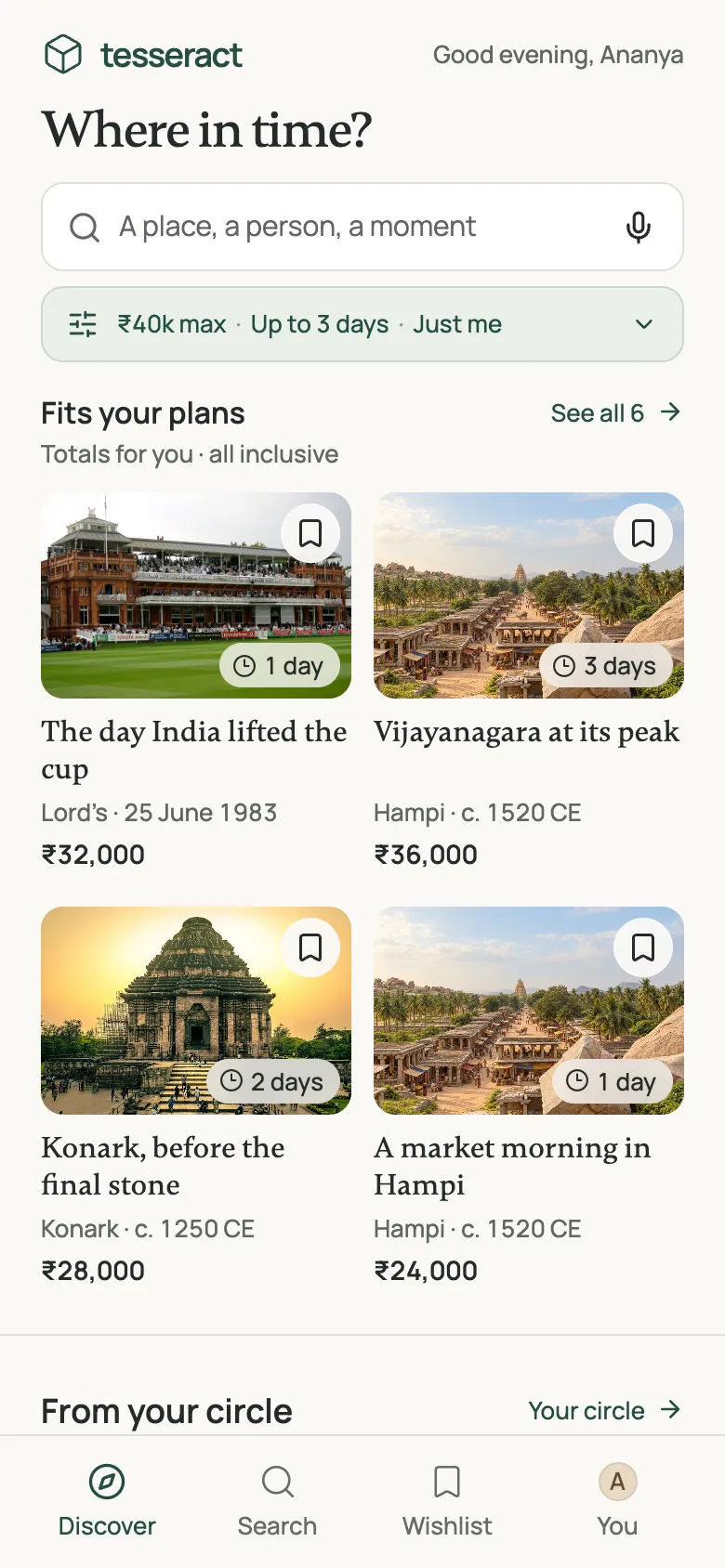
Discover screen: trips that fit a ₹40,000, three-day plan
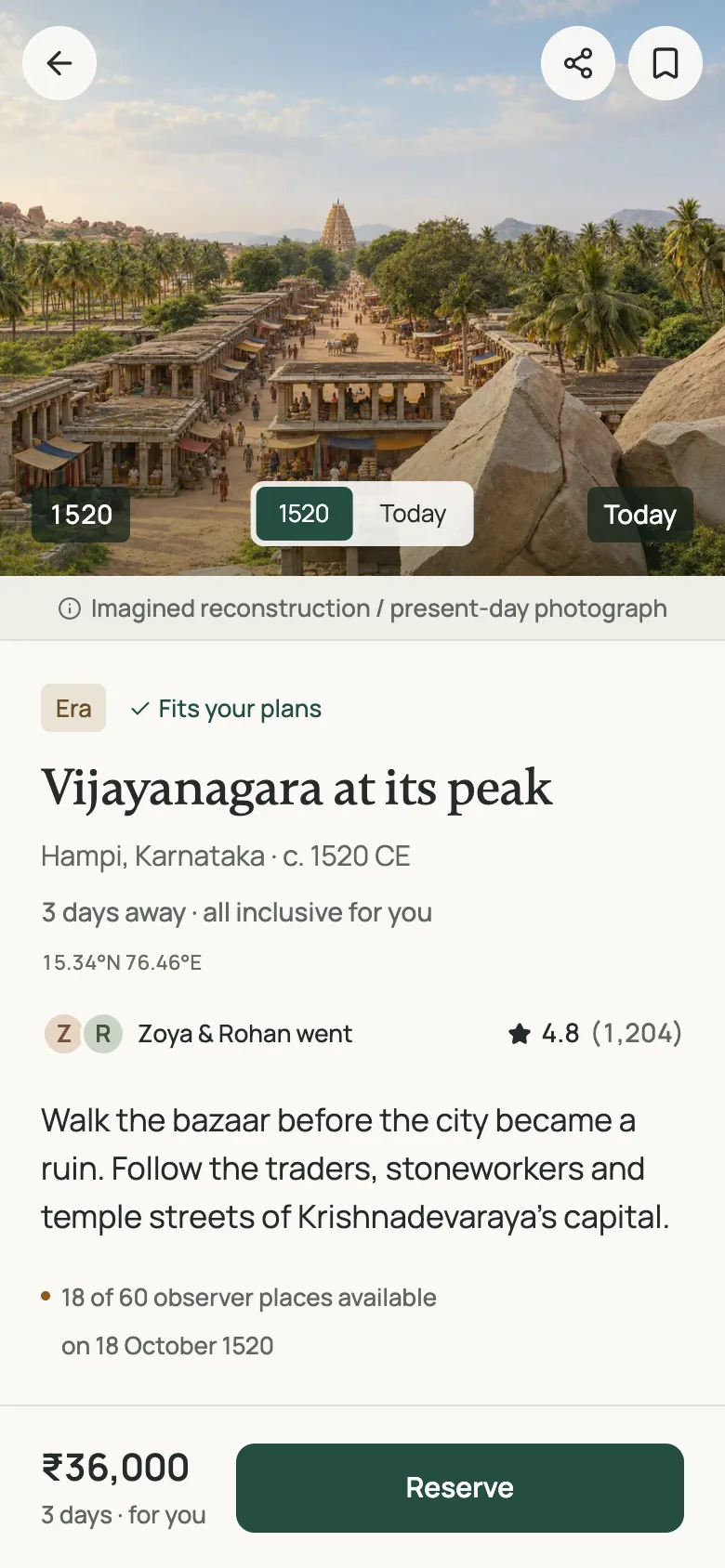
Trip detail for Vijayanagara, with a then and now slider

Summary

What I set out to fix, and where I stopped

Problem

People install Tesseract and browse, but don’t buy. I think they can’t tell which trips fit their budget and time, or whether anyone they trust has gone.

What I designed

Discovery that starts from your budget, time and who’s coming. Trips within those limits come first, with friends’ reviews where they exist.

Where it stops

A wishlist you can compare side by side. Booking and payment are outside the brief, so saving a trip is the action I hold this design to.

Problem

Three guesses about why people browse and leave

These are hypotheses. Each comes with the design change that would test it.

“Will it fit my budget and time?”

Show trips within my limits first, and say so on each card.

Named in the brief
“Has anyone I trust done this?”

Show where friends and family went, and what they said.

Named in the brief
“Is it safe?
Does time travelling have physical effects on my body?”

State acclimatisation, walking and weather in plain words on each trip.

My hypothesis

Assumptions

Rules for Tesseract’s world

The brief leaves these open. I fixed them so the screens have something to stand on.

Past only

Each trip goes to a recorded past. Future travel is out of scope.

Observer mode

You can’t be seen and can’t change anything. That removes paradoxes and most of the safety risk.

Limited places

Each historical day takes a fixed number of observers. The app shows real availability and no countdowns.

Duration is time away

Time at home passes as it does there. A 3-day trip takes 3 days, acclimatisation included.

One total price

In rupees, for your whole group: the jump, base pod and meals, guide, and health check.

Moments and eras

A moment is a fixed event (Lord’s, 25 June 1983). An era is a place across a span of time (Hampi, around 1520).

Users

Two ways people arrive

“History buff” and “adventurer” describe interests. The screens change more with whether someone already knows what they want.

Based on lookup versus exploratory search (Marchionini, Communications of the ACM, 2006). Ananya and Kabir are illustrative; I didn’t interview anyone.

Browsing

Ananya, 24 · backpacker and history buff

“Somewhere historic I can afford. I’ve got ₹40k and a long weekend.”

Needs a place to start, only trips within her limits, and a reason to trust them.

Searching

Kabir, 31 · climber

“Everest, May 1953. What will 8,848 m do to my body?”

Needs search that understands him, and plain facts about altitude and fitness.

Process

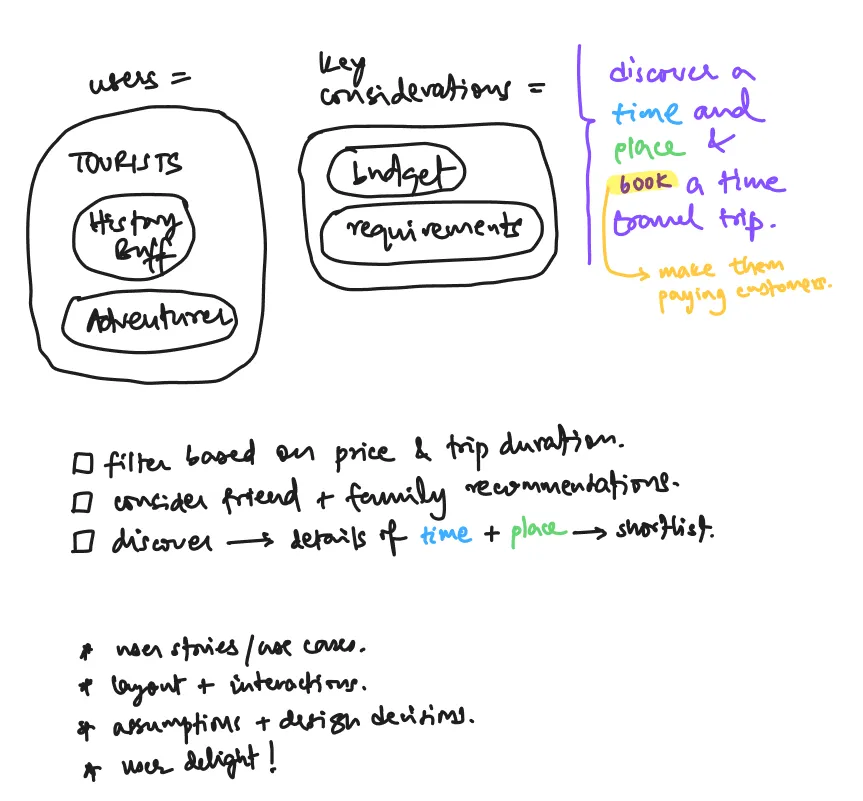
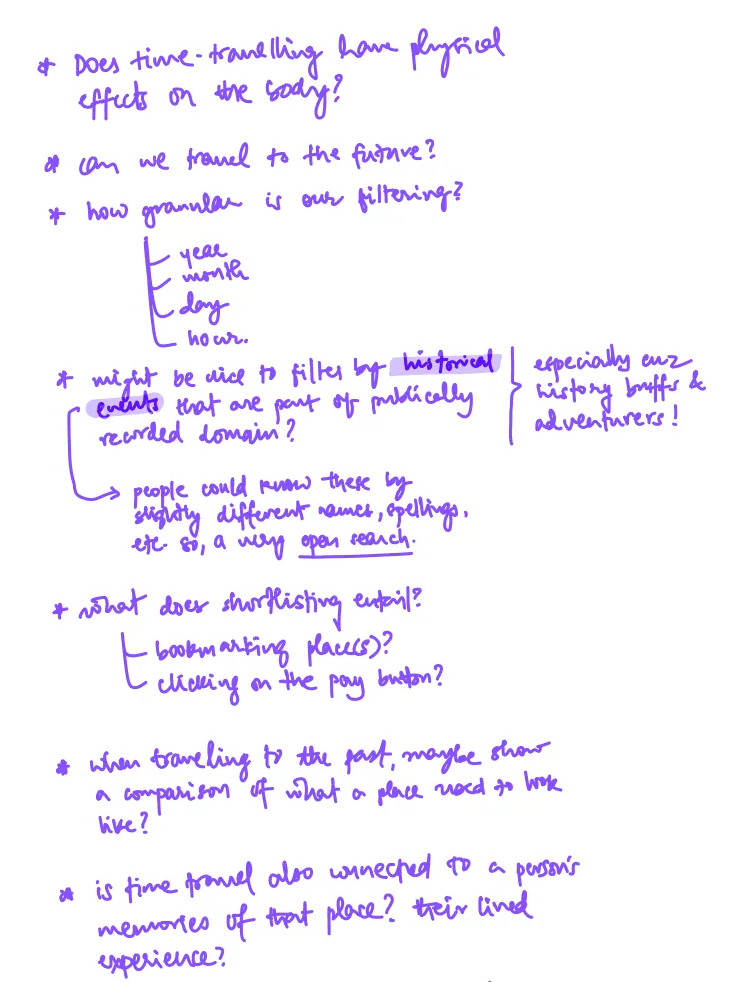
I started on paper

Then I sorted the ideas into ones to keep, reframe or cut.

  • Kept: I’d circled “purchase trip”. People drop off between browsing and buying.
  • Kept: then-and-now views, messy search like “panipat wali ladai”, invisible observers.
  • Reframed: “too expensive” became “does it fit my budget?”
  • Cut: future travel, choosing a mode of transport, reliving your own memories.
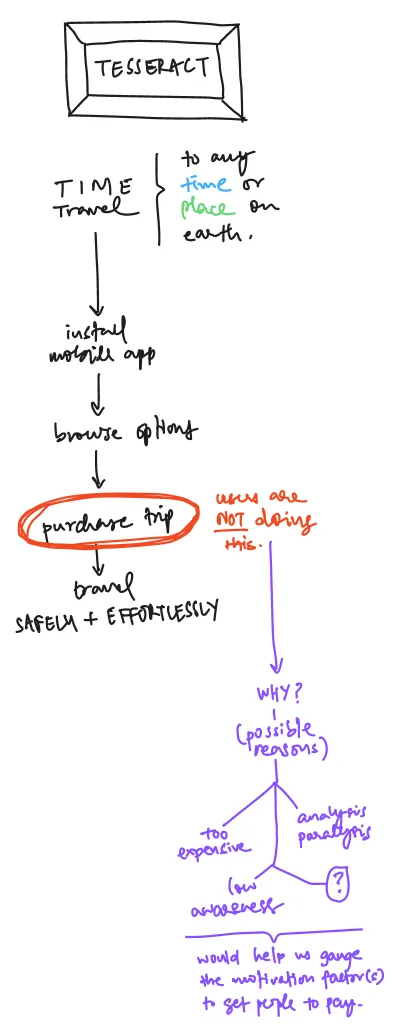
Brain-dump notes, page one
Brain-dump notes, page twoBrain-dump notes, page three

Approaches

Three directions I sketched, and the one I picked
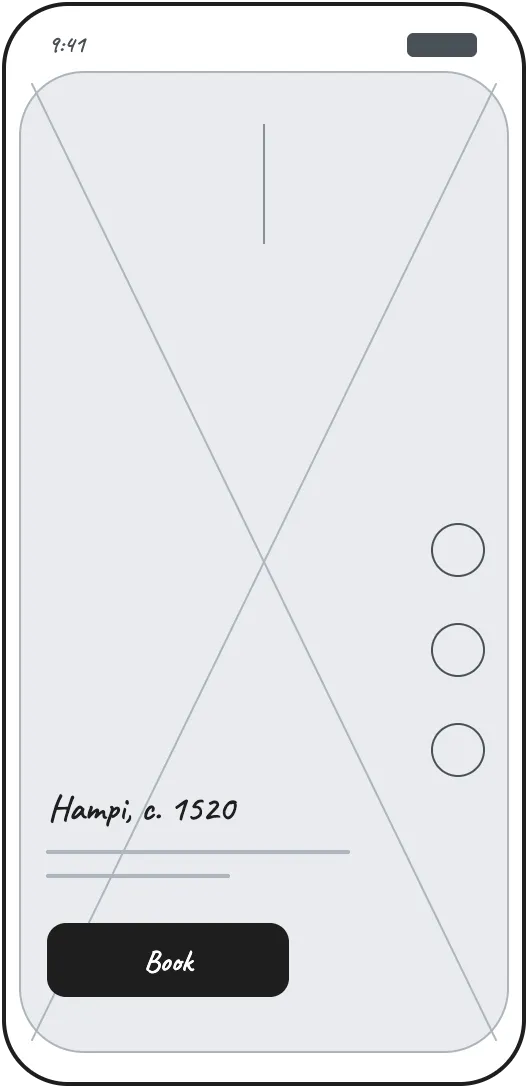
Wireframe of a feed-first home screen

Feed first

Good for inspiration. To help people decide, each card would need price and time, plus a way to compare.
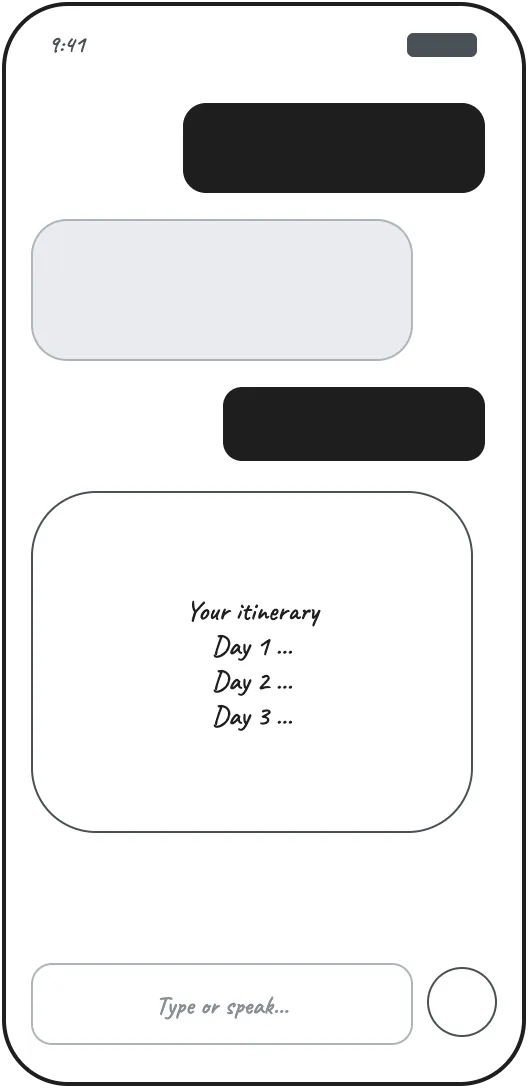
Wireframe of a chat planner

Chat planner

Fast if you know what you want. For anyone who doesn’t, it starts as an empty text box.
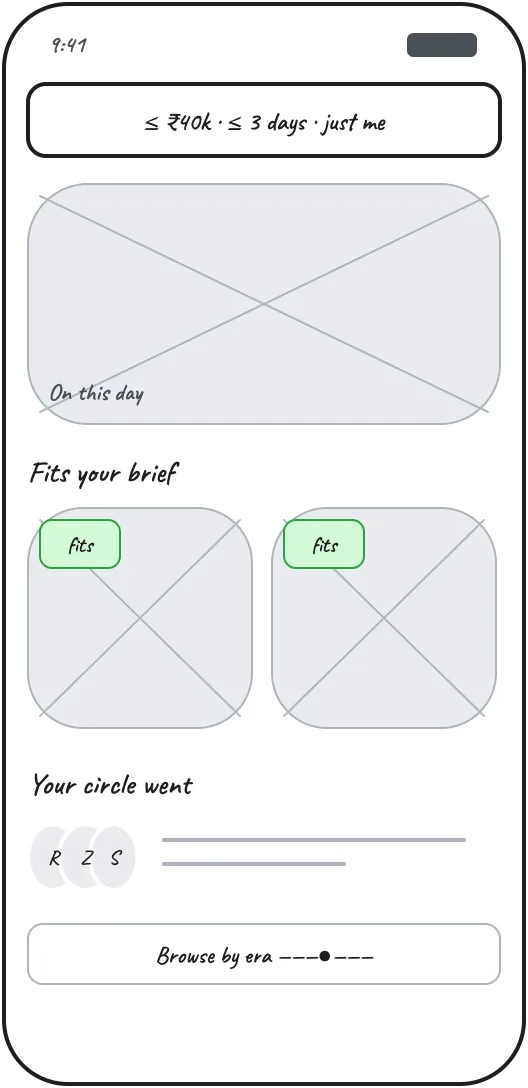
Wireframe of a fit-first home screen

Fit first Picked

Asks for budget and time up front, the filters the brief names. That makes browsing less surprising, so the home screen keeps themes, eras and friends’ picks below the matches.

Core flow

Two ways into the same detail page, ending at the wishlist

Browsing: Discover with a budget and time, trips that fit, trip detail. If it fits, add to wishlist, then compare. If not, nearby in time offers another date. Searching: describe a trip, check what Tesseract understood, results, then the same trip detail. Reserve and family voting are outside the brief.Ananya, browsingKabir, searchingDiscover₹40k · 3 days · just meTrips that fitTrip detailFits yourplans?Add to wishlistCompareNearby in timeDescribe“everest, 1953”Check whatit understoodResultsReserveAsk familyto voteyesnoAnother date in the same era,with what changesOutside the briefNot builtSame detailpage

Iteration

How the home screen changed

I began with the usual travel-app home screen and checked it against the brief.

  • Categories by century and “popular trips” say nothing about budget or time.
  • Price shows up late and duration not at all, though those are the two filters the brief names.
  • Friends appear nowhere, though the brief says this audience relies on them.

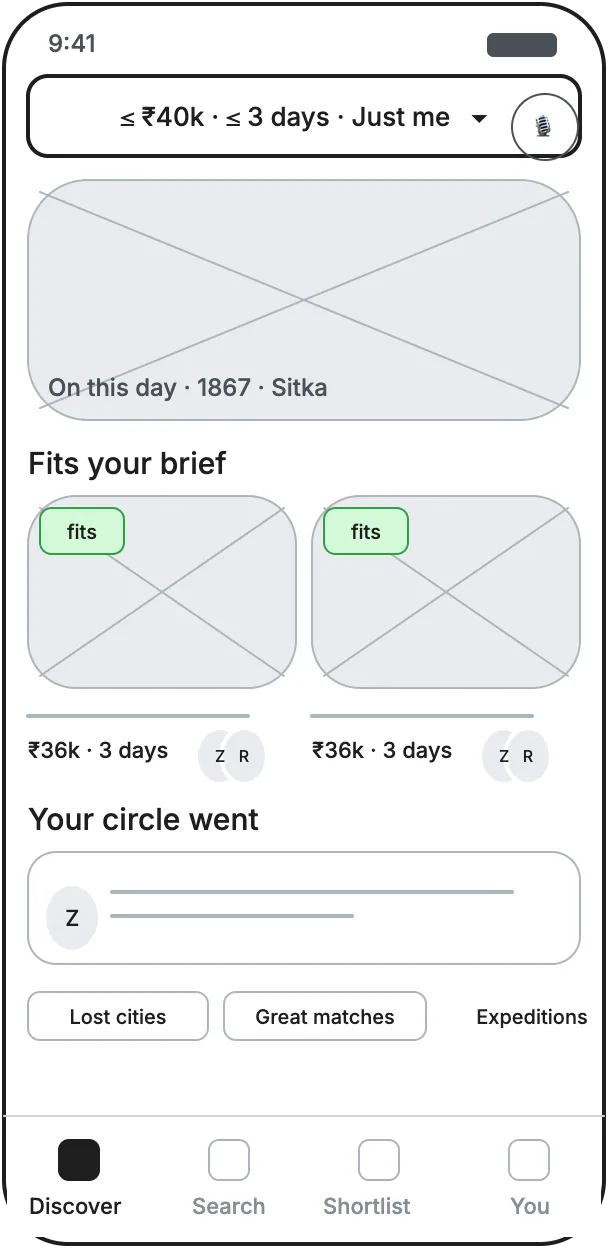
The second sketch leads with your limits, shows trips that fit first and puts friends on the cards. The prototype builds on it.
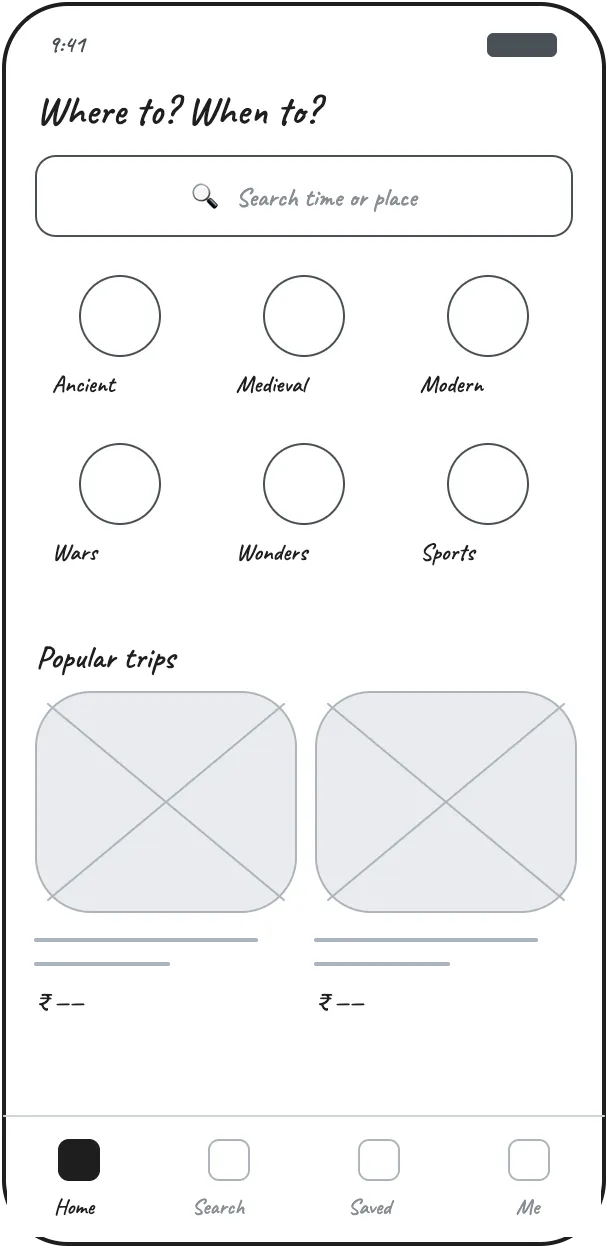
Wireframe of a conventional travel-app home screen
Usual pattern
Wireframe of the fit-first home screen
Second sketch
The built Discover screen
Built

Discover

Set your limits once, and trips that fit come first

  • Trip preferences (₹40,000 · up to 3 days · just me) apply on Discover, Search and the Wishlist.
  • “Fits your plans” covers budget, time, group eligibility and places left. It makes no claim about taste.
  • Prices are totals for the whole group, and time is a maximum.
  • Each length option shows how many trips it leaves, and the button shows the total before you apply it.
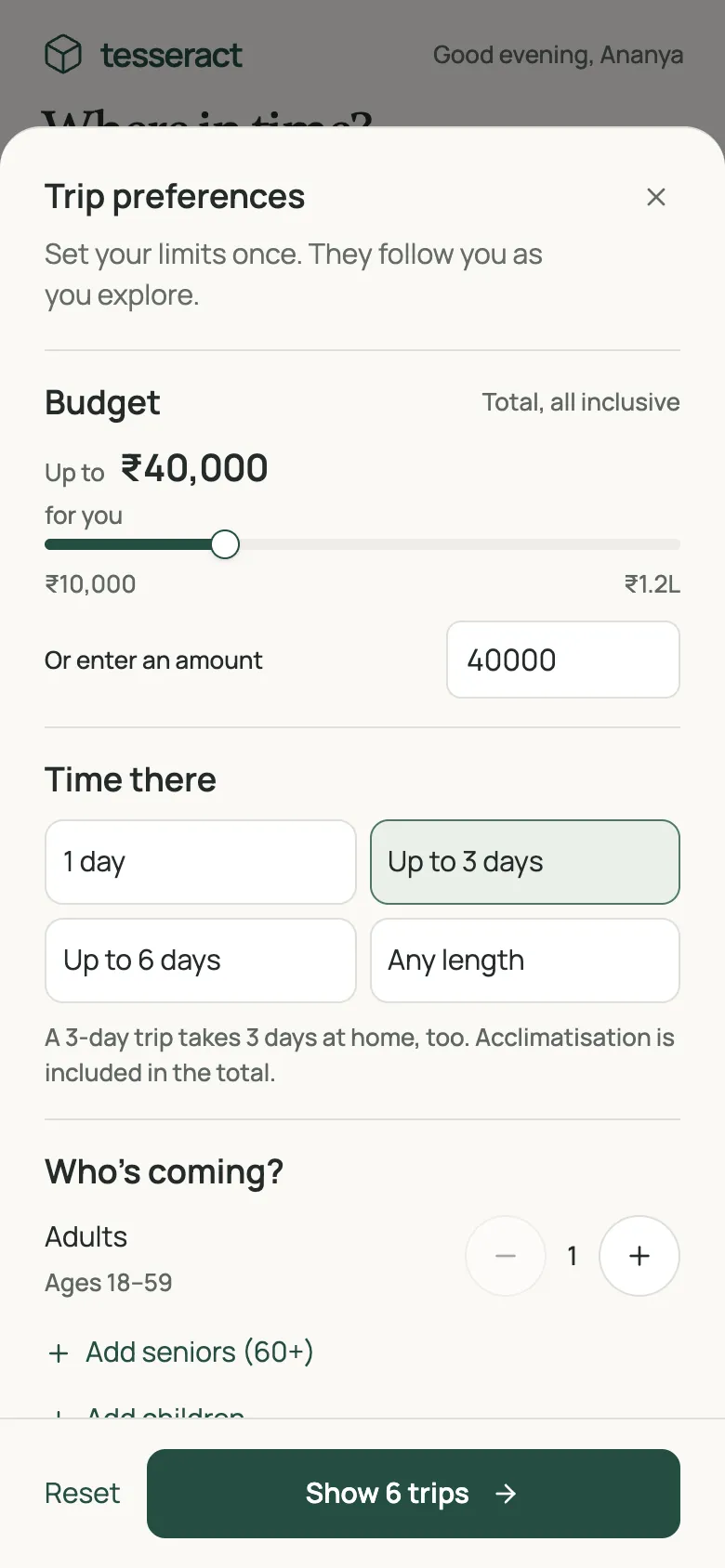
Discover screen with four trips that fit
Trip preferences sheet with budget, length and group
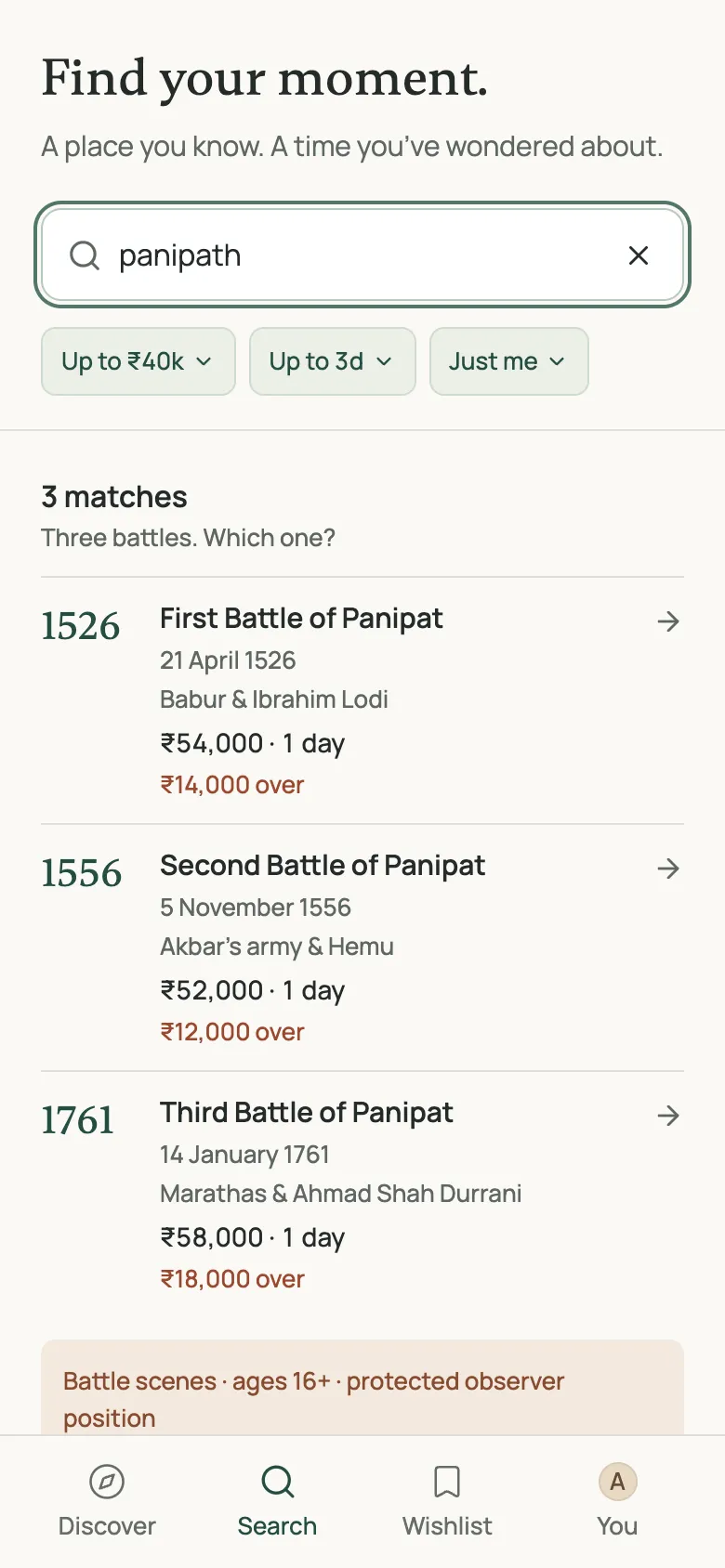
Search for panipath showing three battles of Panipat
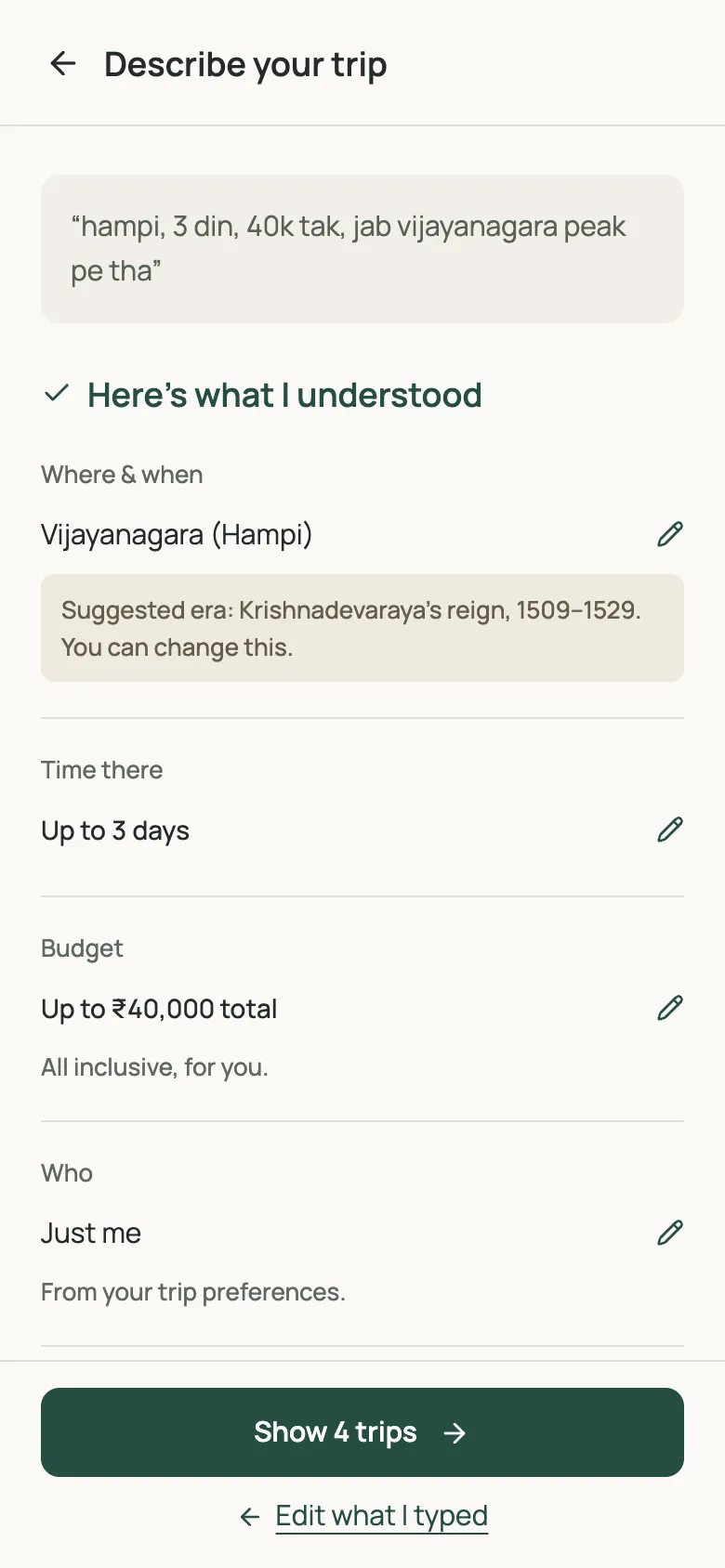
Describe screen showing the fields Tesseract understood

Search and describe

Search the way you’d say it

  • Type a place, person or event, spelled any way. “panipath” finds all three battles of Panipat and asks which one.
  • Or describe the trip in English or Hinglish: “hampi, 3 din, 40k tak”.
  • Tesseract lays out what it understood as fields you can correct. A guess about the era is labelled as a suggestion.

Trip detail

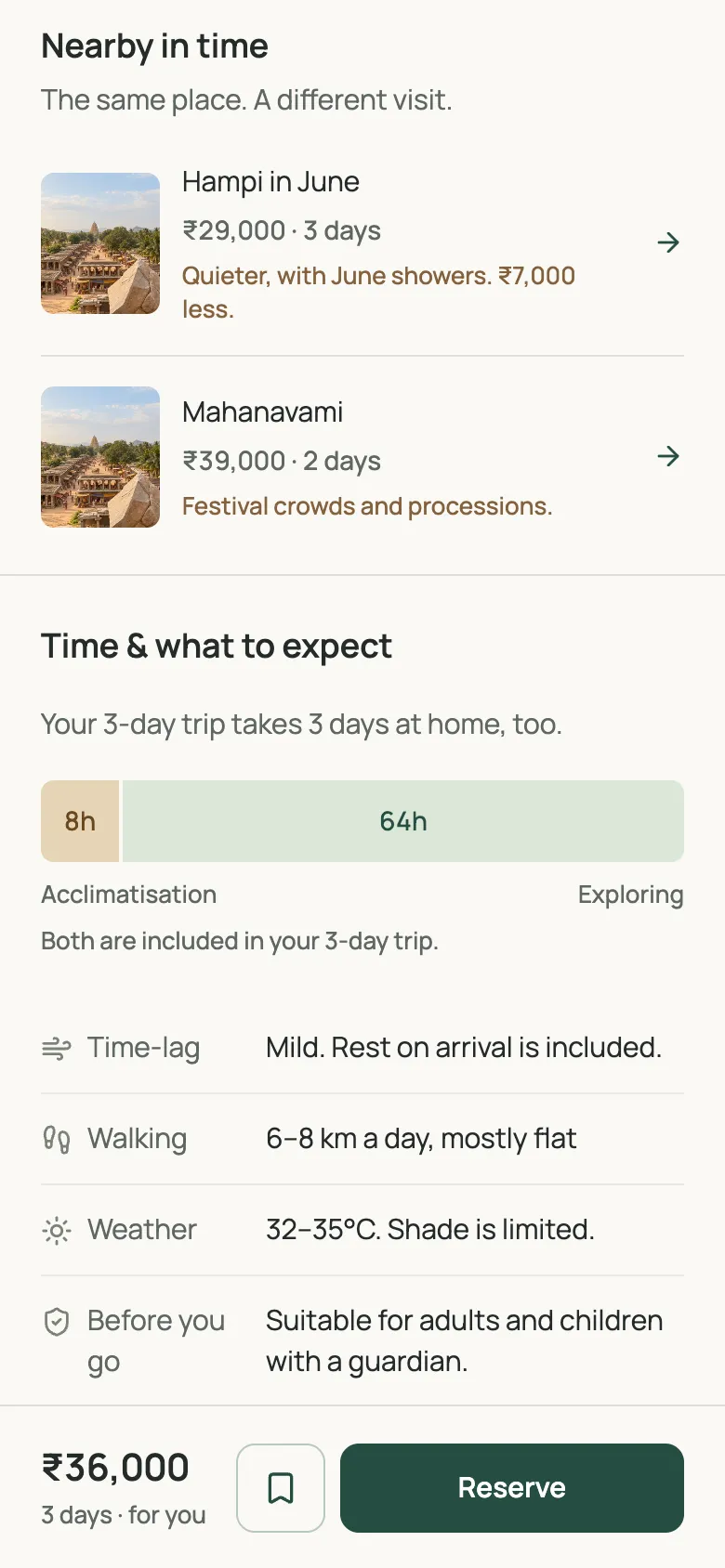
I ordered the page by the doubts people raise

  • See it: a then-and-now slider. Drag between 1520 and today.
  • Cost: a breakdown that adds up to the total for 2, 3 or 5 days. The jump costs the same at any length.
  • Over budget: “Nearby in time” lists other visits to the same era and what changes, such as June showers and ₹7,000 less.
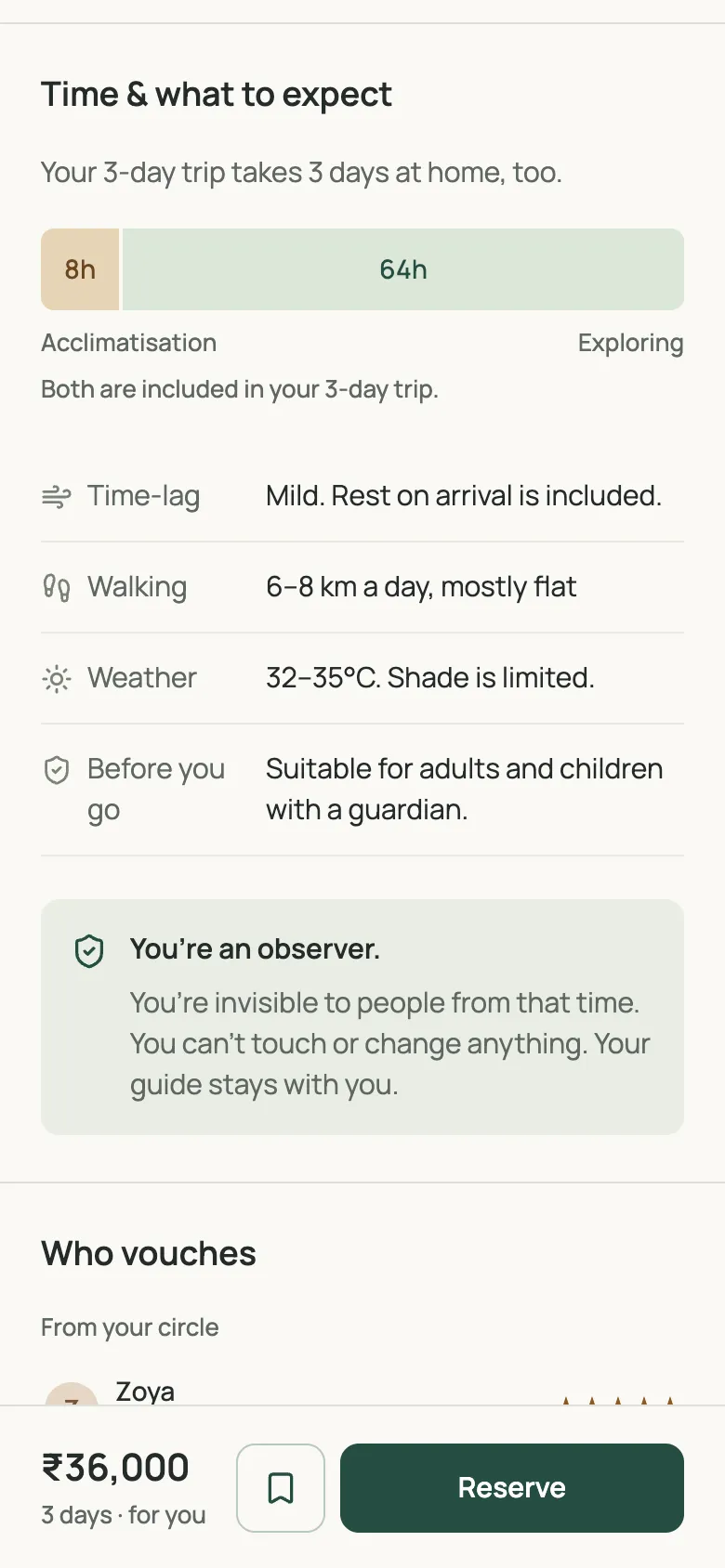
  • Comfort and trust: acclimatisation, walking, weather and observer rules, then a friend’s review.

Reserve is the main button because booking is a traveller’s next step. Booking is outside the brief, so here it explains the scope. A wishlist button joins it once the one on the photo scrolls away.
Detail page with the then and now slider
Detail page: nearby in time, other visits to the same era
Detail page: time and what to expect
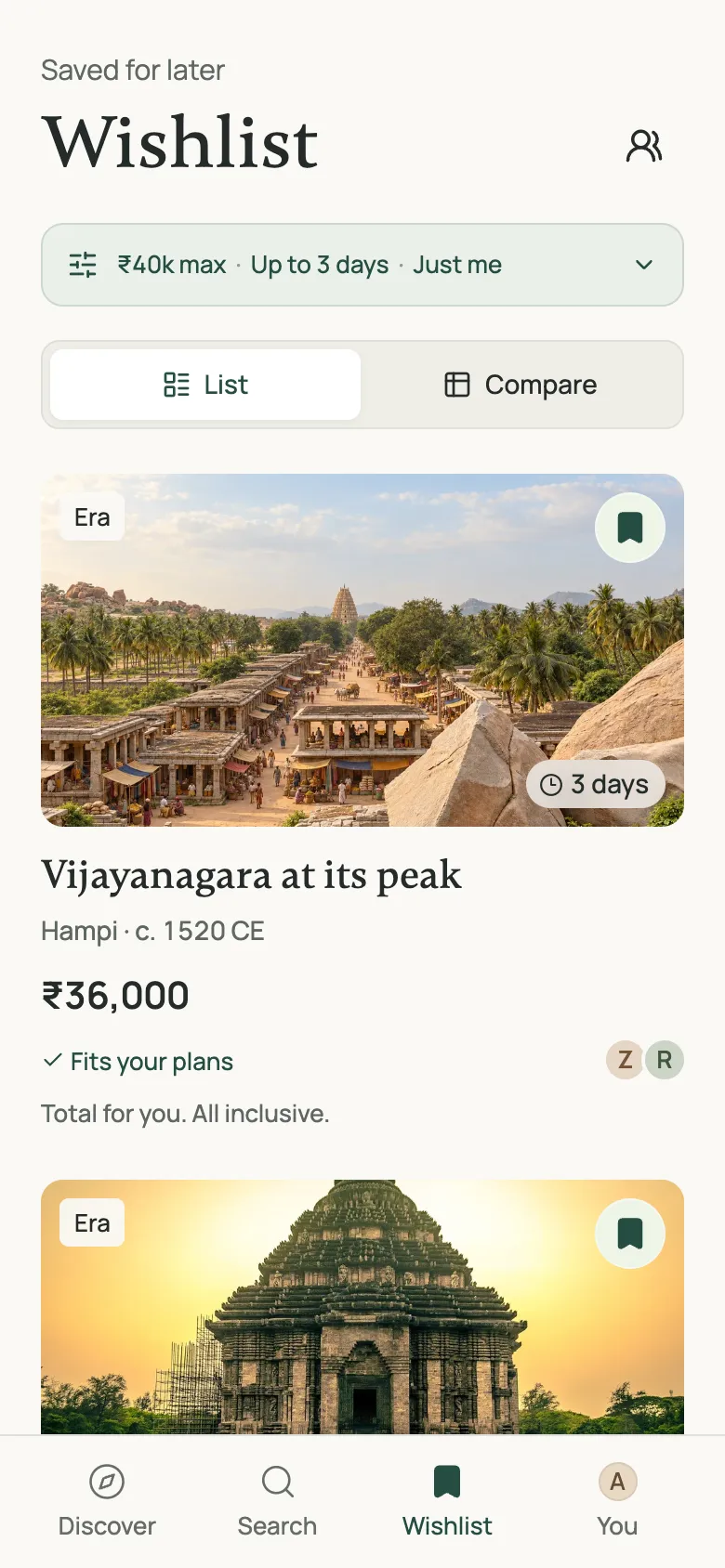
Wishlist with saved trips
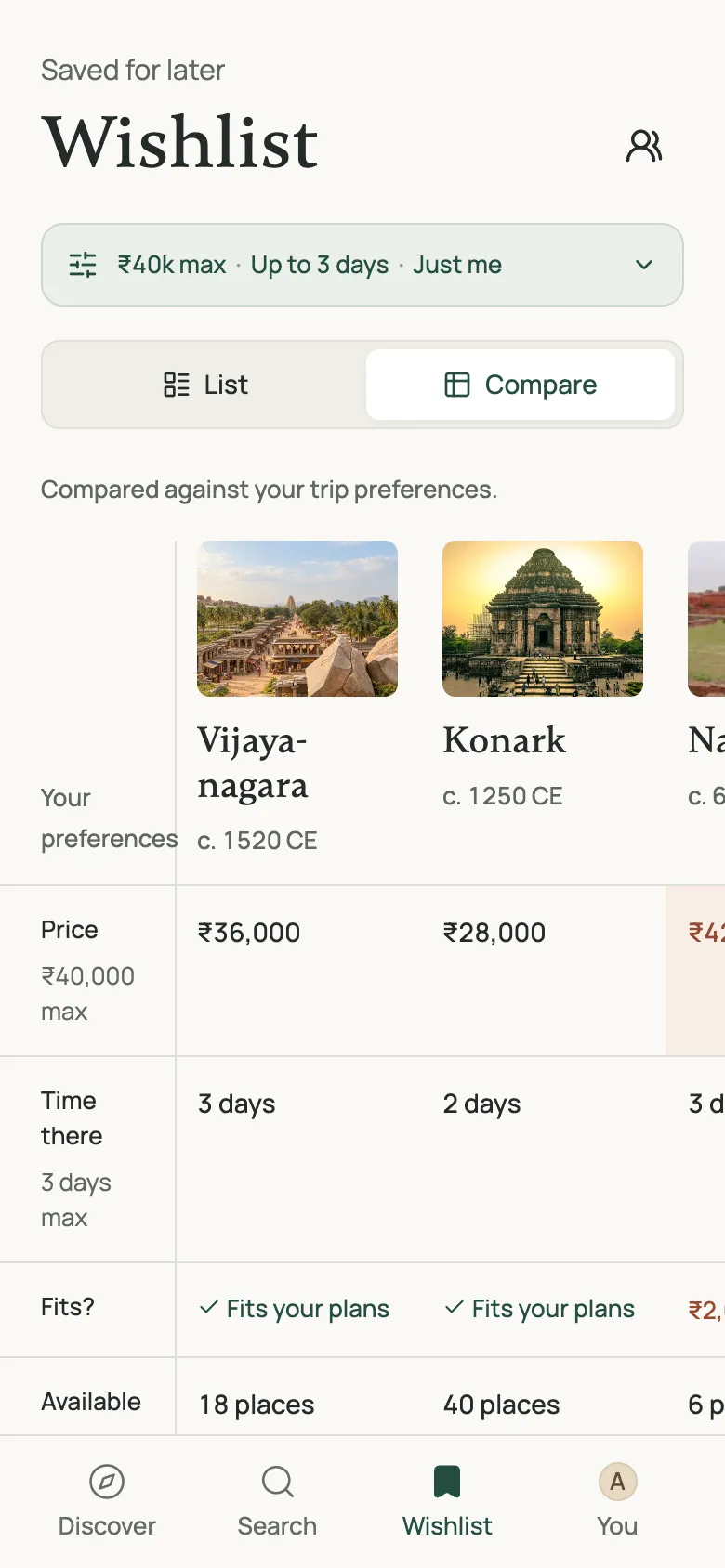
Comparison of three saved trips

Wishlist

The wishlist is where people decide

  • Compare up to three trips side by side. The table flags what breaks your plans and doesn’t rank trips.
  • Change your preferences here, for example by adding a traveller, and each saved trip is checked again.
  • Asking family to vote could come next. It’s outside the brief, so I didn’t build it.

Prototype

Try it here

The prototype runs in the browser. A few things to try:

  • Search for “panipath”.
  • Describe a trip: “hampi, 3 din, 40k tak”.
  • Add two travellers and watch the totals and labels change.
  • Save a trip, then compare it on the Wishlist.
Open in a new tab

Details and system

Small touches that support the decision

Then and now slider on Vijayanagara

Then and now

Drag between 1520 and today. Reconstructions are labelled as imagined.
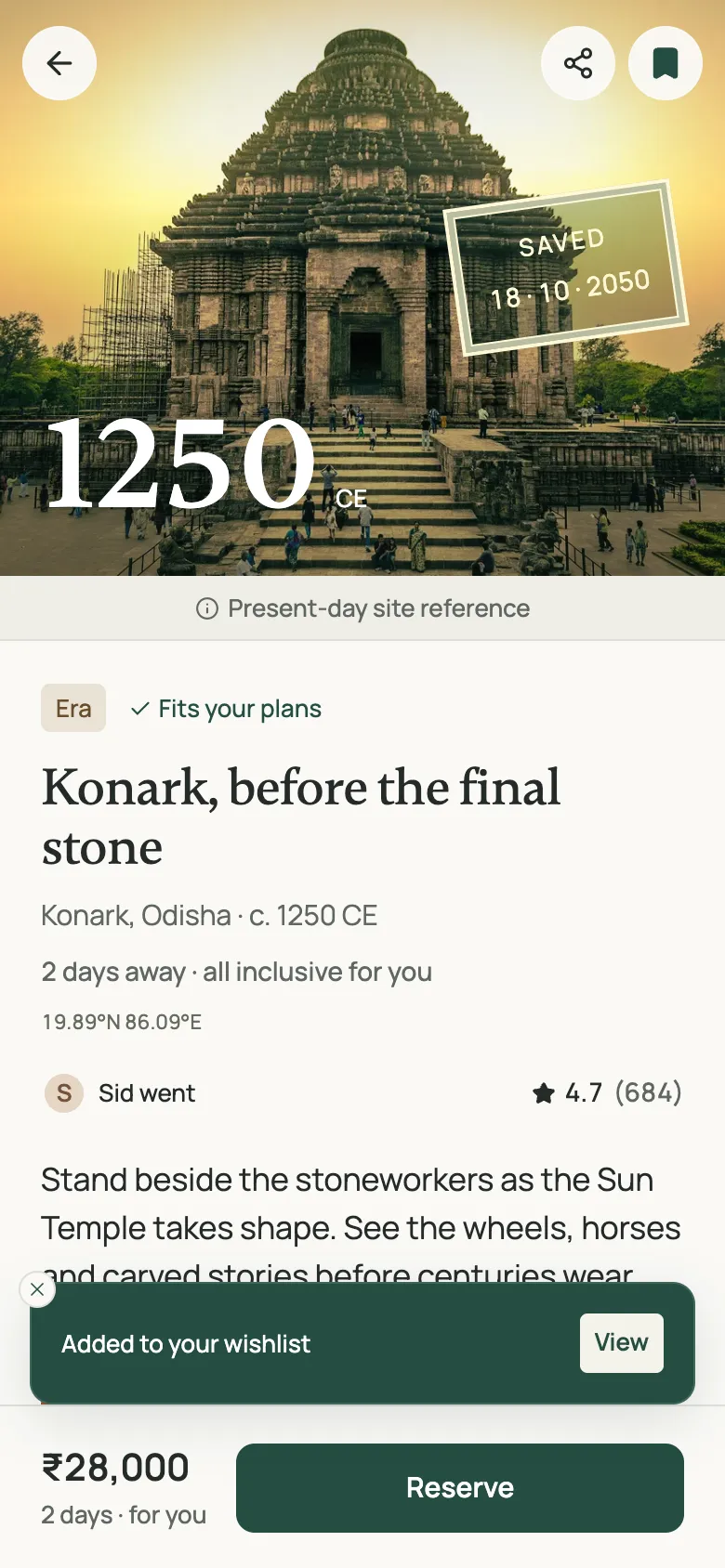
Passport-style saved stamp on Konark

Saved stamp

A passport-style stamp with today’s date marks the one action the journey builds towards.

Konark’s photo grows from its card into the detail page, then shrinks back

Card to page

A trip’s photo grows into its detail page and shrinks back to the card, so you keep your place.

1520₹36,000 · 3 days15.34°N 76.46°E

Type and colour

Gambetta for places, years and quotes; Manrope for everything factual: prices, times, coordinates and controls. Each trip brings its era’s colour through one token.

Edge cases and metrics

Edge cases, and how I’d measure success

Nothing fits

Results add “Just outside your plans” and show what doesn’t fit on each trip.

Built

Ambiguous search

“Panipat” has three battles, so the app shows all three with dates and asks.

Built

Sensitive moments

Battles carry a content note, a 16+ age limit and a protected observer position.

Built

Who can go

Adding a child flags trips with age limits, such as Everest.

Built

A saved trip changes

If the price rises or it sells out, show a badge and nearby alternatives.

Not built

No friends on the app yet

Fall back to reviews from similar travellers, with an invite prompt.

Not built
Leading signal
Share of browsing sessions that end with a saved trip
Quality of saves
Saved trips people come back to and compare, against saves that stay unopened.
Per hypothesis
Fit: save rate for trips inside versus outside the preferences. Trust: save rate with and without friends’ reviews. Comfort: first-time users who open “Time & what to expect” and still save.
Guardrail
Cancellations after booking, to check we aren’t over-selling.

Scope

What I left out

  • Booking and payment, which the brief excludes. Reserve explains this.
  • AR and VR previews, also excluded by the brief.
  • Custom itineraries. They promise trips Tesseract can’t sell, so trips come as packages.
  • Future travel and reliving your own memories. The second carries real ethical risk.

Thank you.

With more time

  • Test trip preferences with five people: do they set them, and do they read “Fits your plans” correctly?
  • Give each of the three hypotheses its own measure.
  • Use real sharing data to decide whether family voting earns its place.